Your Levels, Already On Screen
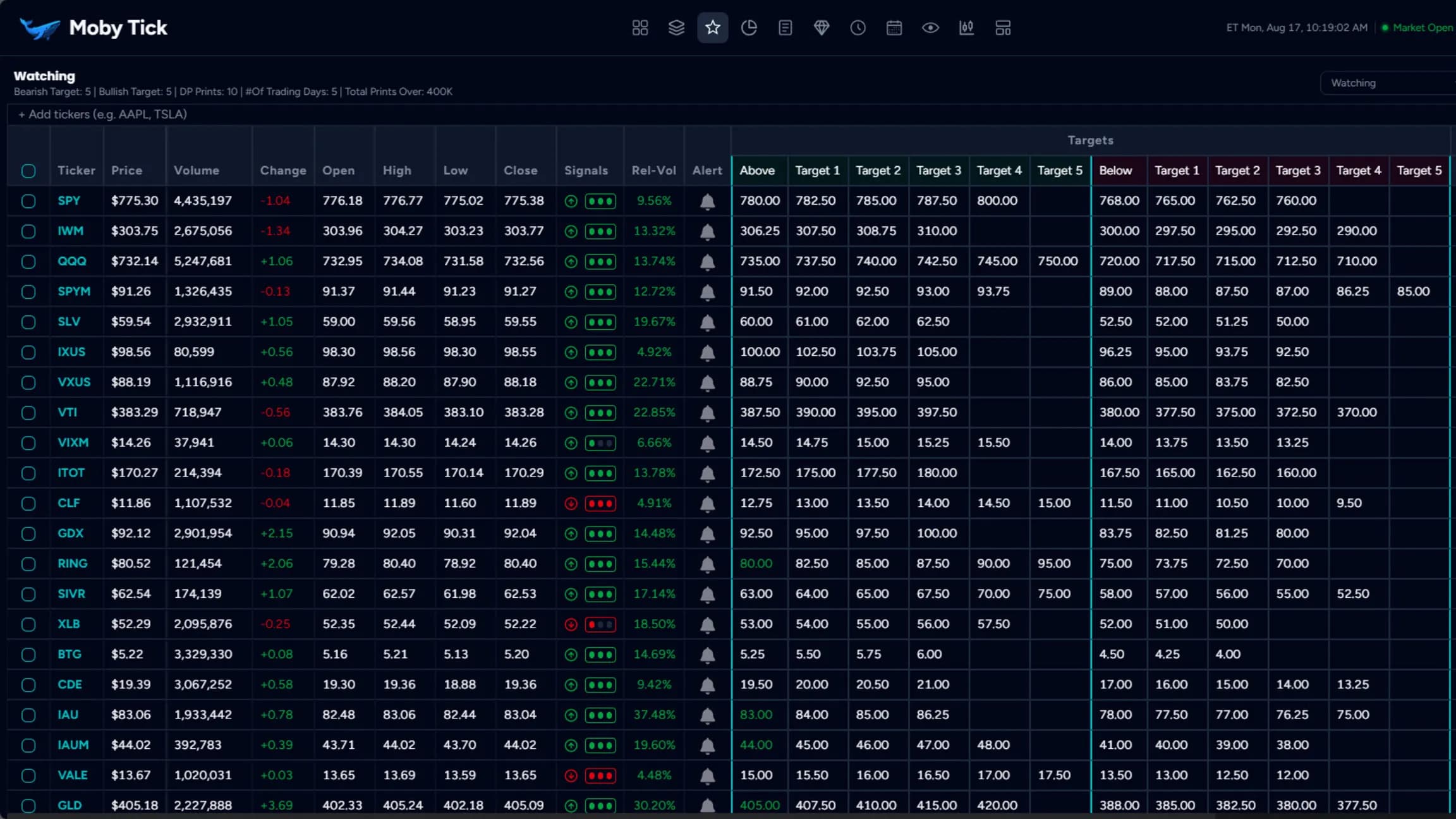
Watchlists that carry your targets and every block print around current price, so the level is on the chart before you need it.
Transform your watchlists into complete trade planning systems for day traders, swing traders, and position traders. See where institutions traded historically, plan your entries and exits with custom targets, and get automatic alerts before your entry price hits. Stop manually monitoring prices—let the system notify you when opportunities arise.
Configuration Options
Customize every aspect to match your trading style
Automatically display dark pool prints for each watched stock
Set 'Above' and 'Below' entry levels for long and short setups
Plan up to 10 profit targets for systematic exit strategies
Get email, sound, and popup notifications before entry prices hit
Customize alert timing (.12 default) to prepare for entries
Green/red DP levels show if price is above/below institutional areas
Create separate lists for different strategies and timeframes
Load tickers in CSV format or export watchlists to Excel
Get notified instantly when a stock you are trading has new prints
How to Use for Profitable Trading
Follow these steps to maximize your trading edge
- Add tickers to automatically load institutional dark pool levels
- Review color-coded DP levels - green means price is above institutional levels
- Add tickers individually or in bulk
- Create separate watchlists for different trading strategies
- Set 'Above' entry levels for long trades, 'Below' for short trades
- Plan multiple profit targets for systematic exits
- Use institutional DP levels to inform your entry and target placement
- Consider proximity to green (supportive) vs red (resistance) DP levels
- Click the bell icon to set entry alerts with one click
- Customize threshold buffer (default .12) to get advance warning
- Choose email, sound, or popup notifications based on your preference
- Set alerts for both entry levels and profit targets
- Receive alerts before your planned entry prices hit
- Monitor how price reacts at institutional DP levels in real-time
- Scale out at planned target levels for systematic profit-taking
- Adjust alerts and targets based on new institutional activity
See the prints on your own charts
Join traders who follow institutional money.
Cancel anytime • Full access to all features