Tools · Alerts
Alerts
Open the alerts panel with the alarm-clock icon in the header or Alt+T. It has three alert types across the top: Price, BTI and Option. Each has tabs for creating alerts, listing your alerts and seeing notifications that have fired.
Price alerts
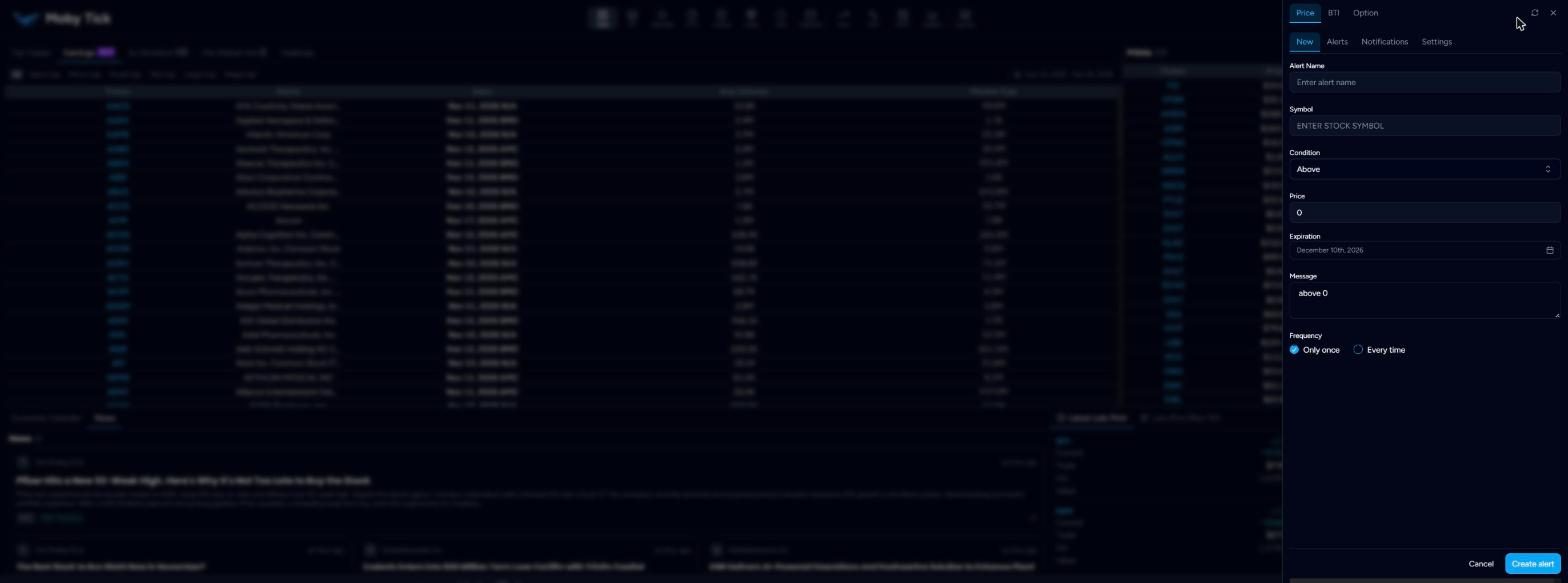
New: Alert Name, Symbol, Condition (Above or Below), Price, Expiration (default one month), Message and Frequency (Only once or Every time). Click Create alert.
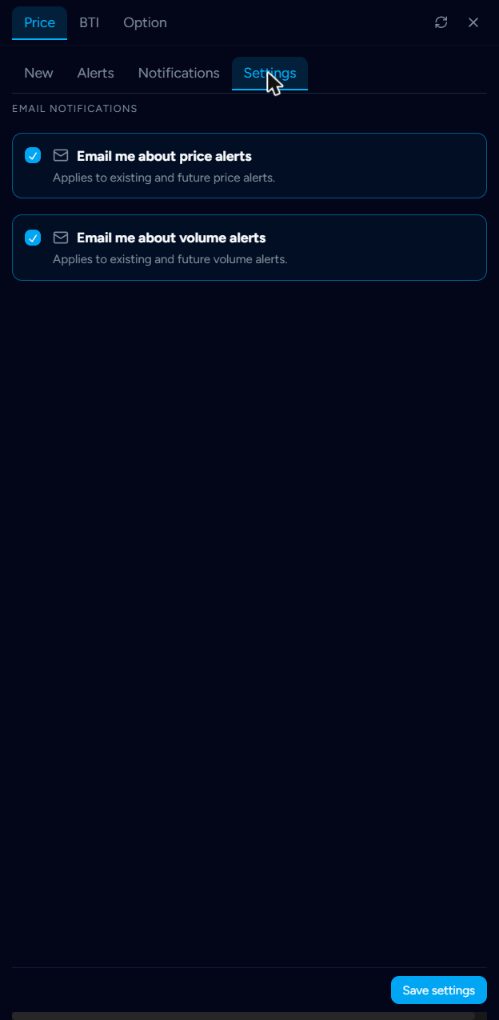
Settings: turn email on or off for price alerts and for volume alerts. These apply to existing and future alerts.
BTI alerts
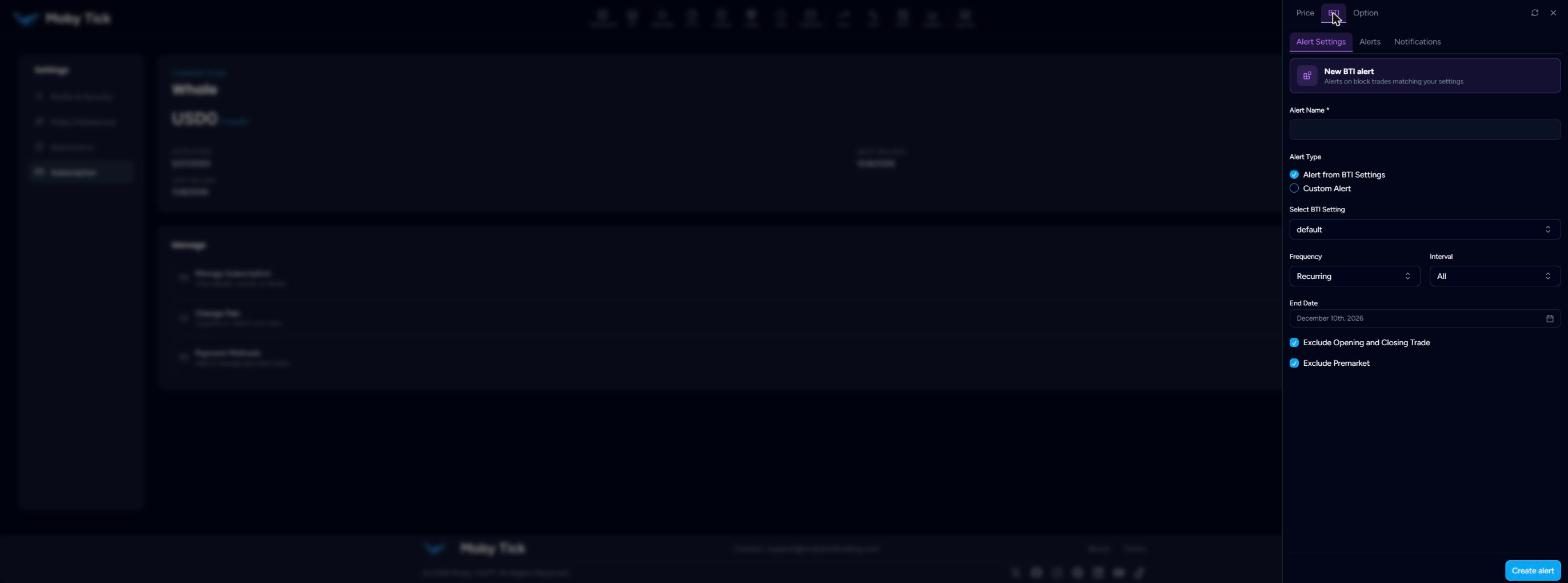
Alerts on block trades that match your settings. Give the alert a name, then choose:
- Alert from BTI Settings to reuse one of your BTI cards' filters, or
- Custom Alert to set its own filters.
Set Frequency (for example Recurring), Interval, End Date, and whether to exclude opening and closing trades and pre-market prints.
Option alerts
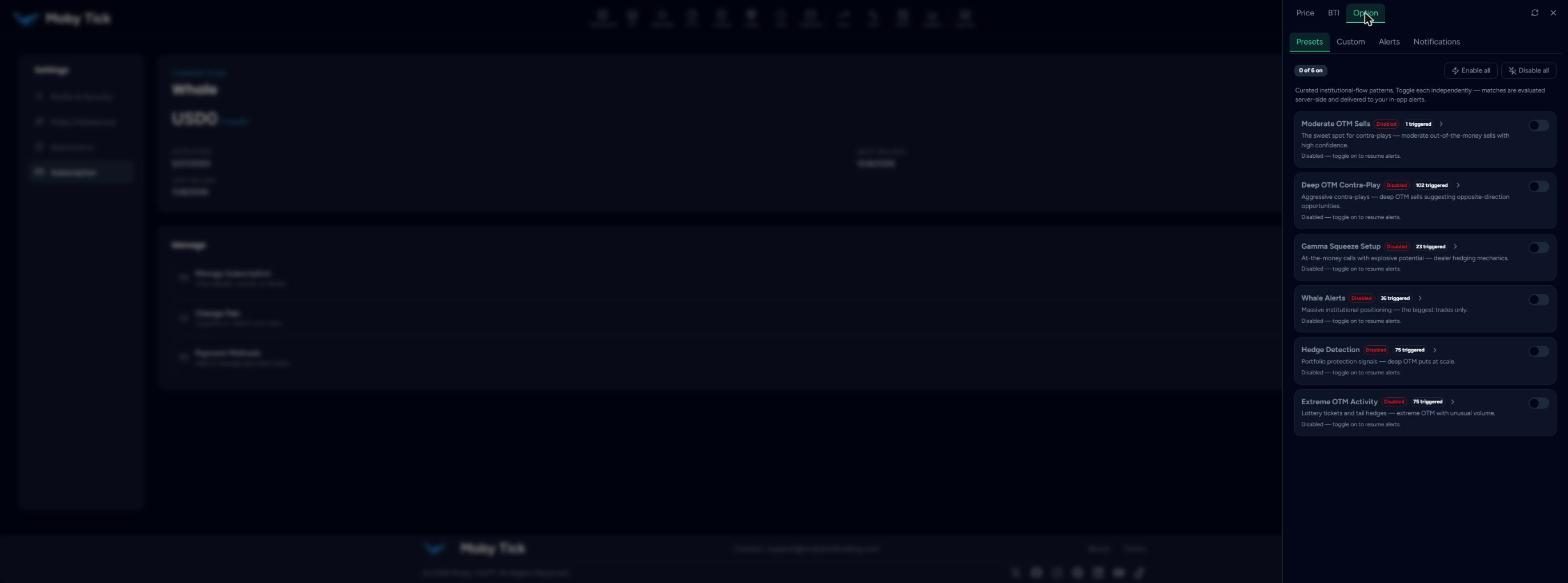
Presets are curated institutional-flow patterns evaluated on Moby Tick's servers and delivered as in-app alerts. Toggle each one on, or use Enable all / Disable all. Each shows how many times it has triggered.
| Preset | What it catches |
|---|---|
| Moderate OTM Sells | Contra-play sweet spot: moderately out-of-the-money options sold with high confidence. |
| Deep OTM Contra-Play | Aggressive deep OTM sells suggesting a move the other way. |
| Gamma Squeeze Setup | At-the-money calls with dealer-hedging potential. |
| Whale Alerts | The biggest institutional option trades only. |
| Hedge Detection | Deep OTM puts bought at scale for portfolio protection. |
| Extreme OTM Activity | Lottery tickets and tail hedges: extreme OTM with unusual volume. |
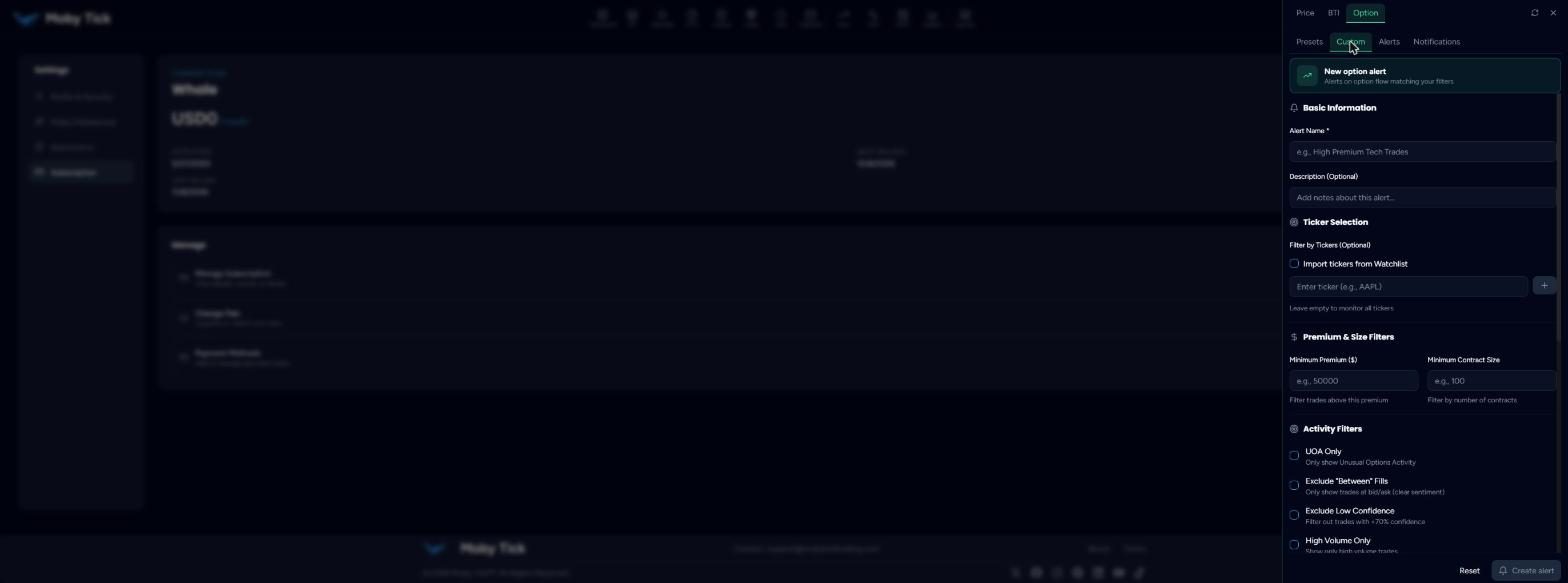
Custom option alerts let you choose tickers (or import a watchlist; leave empty for all), minimum premium and contract size, UOA only, exclude “between” fills, exclude low confidence (<70%), high volume only, expiration range, moneyness level, deep OTM only (>1.5σ), sentiment, frequency and an expiration date.