Tools · Watchlist
Watchlists
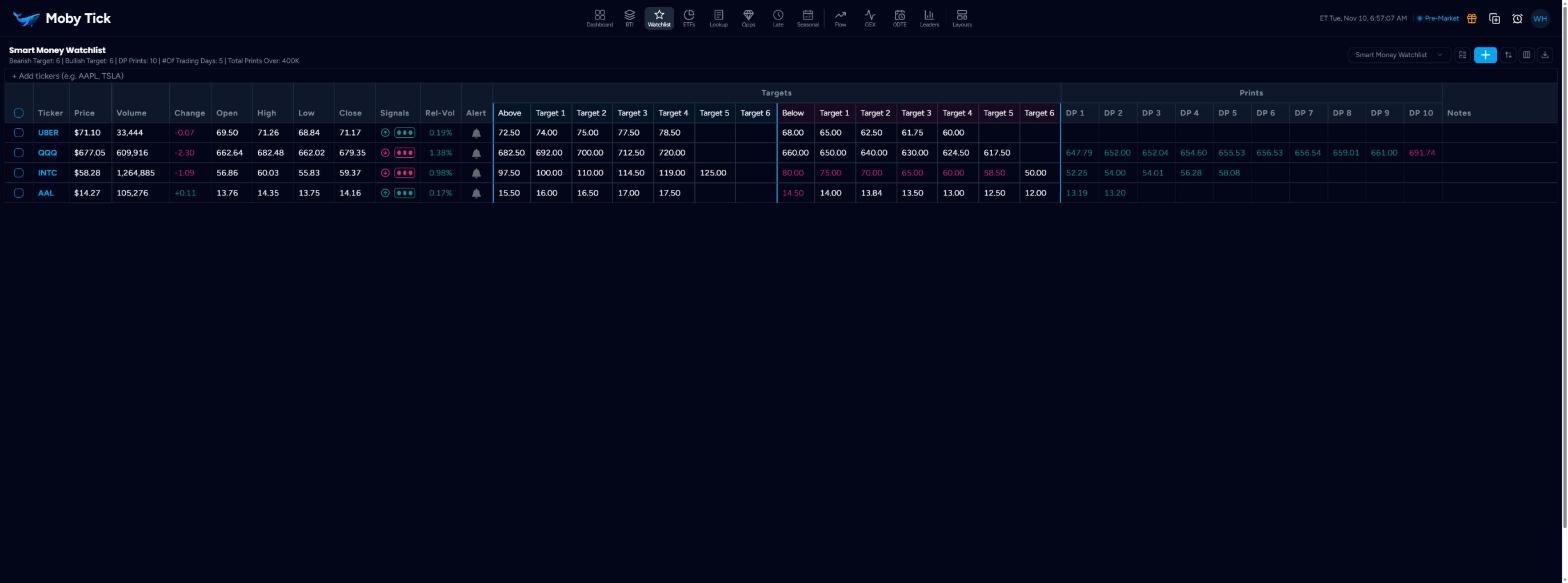
A Moby Tick watchlist is a trade plan. Each row holds the ticker's price data, the signal meter, your long and short triggers with up to ten targets each, and its ten largest recent dark pool prints, coloured by whether price is above or below them.
Columns
- Ticker, Price, Volume, Change, Open, High, Low, Close
- Live quote data. Click a ticker to open it in Print Lookup.
- Signals
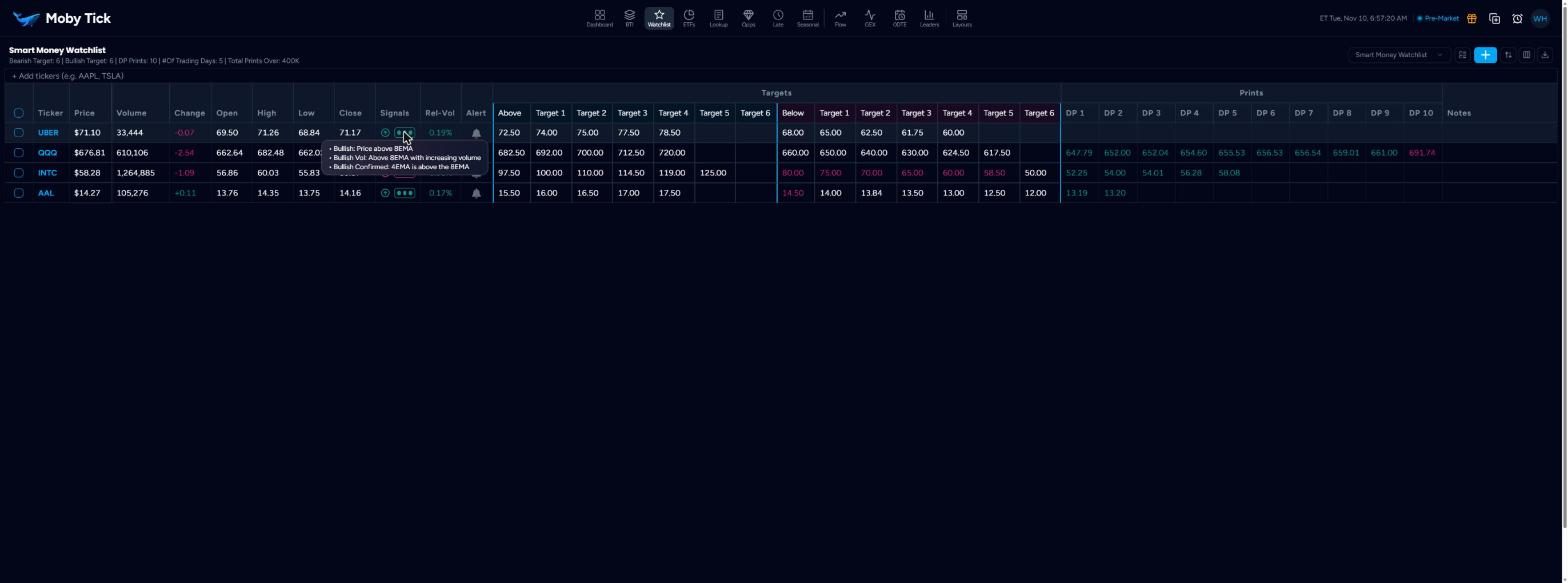
- An arrow and three dots. Bullish dots light for: price above the 8 EMA; price above the 8 EMA with rising volume; the 4 EMA above the 8 EMA (confirmed). Bearish dots light for the opposite conditions. Hover to see which are met.
- Rel-Vol
- Relative volume.
- Alert
- The bell opens the watchlist alert panel for that ticker.
- Above, Target 1–N
- Your long trigger and upside targets. Click a cell and type a price.
- Below, Target 1–N
- Your short trigger and downside targets.
- DP 1–DP 10
- The largest dark pool prints within your chosen number of trading days and over your size threshold. Green: price is above the level. Red: price is below it.
- Notes
- Free text for your plan.
Toolbar
- + Add tickers
- Type one symbol, or several separated by commas, and press Enter.
- Watchlist menu
- Switch lists or create a New Watchlist.
- Manage Watchlists
- Set a default (star), edit (pencil), clone or delete a list.
- +
- Add a new watchlist.
- Reorder tickers
- Drag tickers into order and click Save Order.
- Select columns
- Show or hide column groups (Targets, Prints, Notes and others).
- Download Excel
- Exports the watchlist.
Tick row checkboxes to Delete Selected, Clear selection or Create Alert for several tickers at once.
Watchlist settings
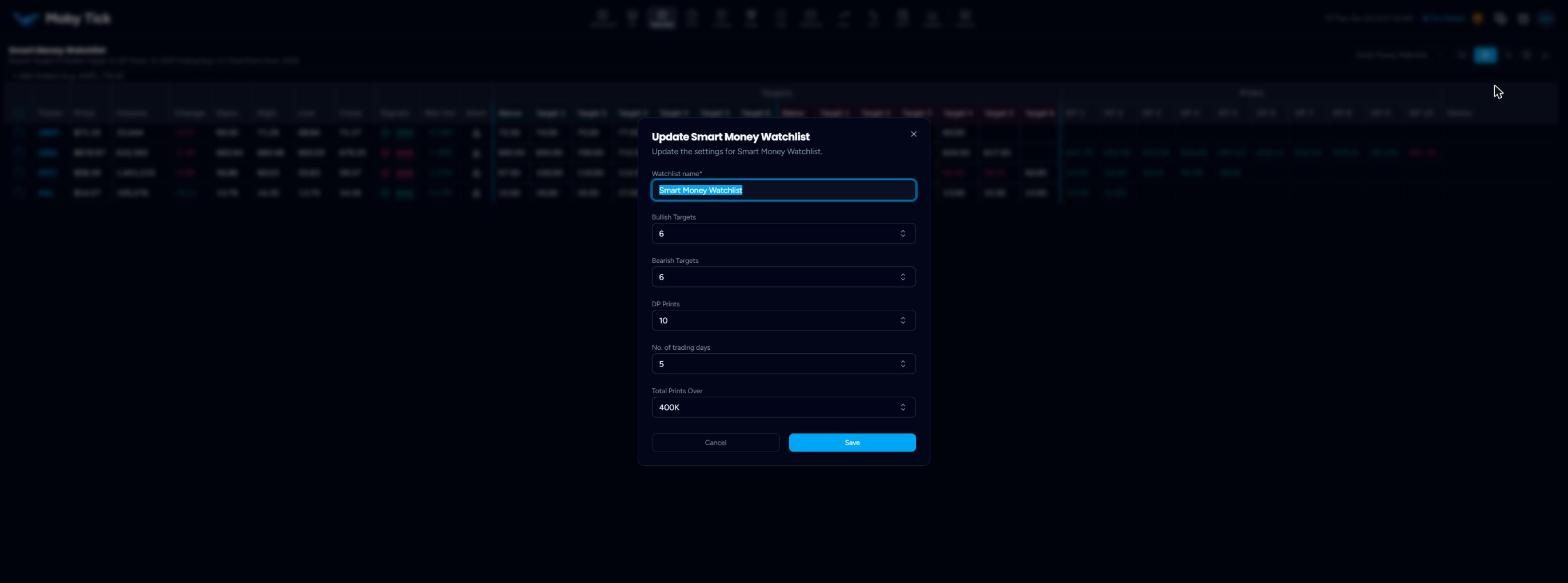
These are set when you create a list and can be changed from Manage Watchlists › Edit. The line under the watchlist name restates them.
| Setting | Range | Default | Controls |
|---|---|---|---|
| Bullish Targets | 1–10 | 5 | How many targets after Above. |
| Bearish Targets | 1–10 | 5 | How many targets after Below. |
| DP Prints | 1–10 | 10 | How many DP columns. |
| No. of trading days | 5–180 | 5 | How far back the DP columns look. |
| Total Prints Over | 50K–10M | 400K | Minimum print size for DP columns. |
Watchlist alerts
Click the bell on a row.
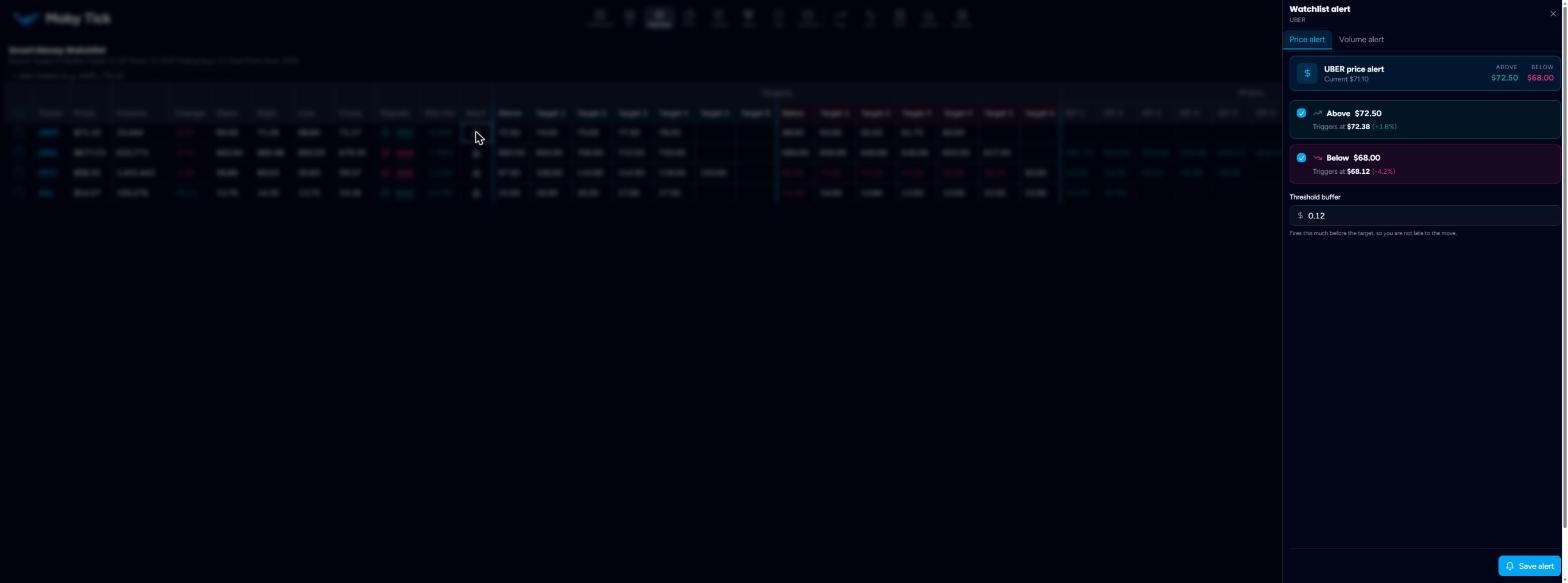
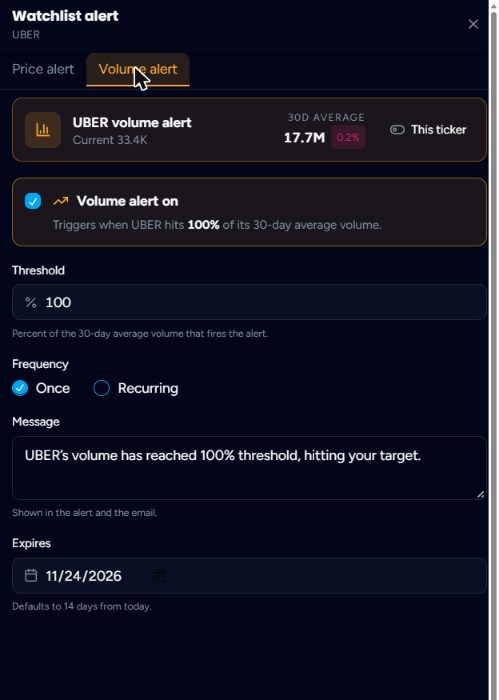
Volume alerts can fire Once or Recurring, carry a custom message (shown in the app and the email) and expire after 14 days by default.