Finding your way around
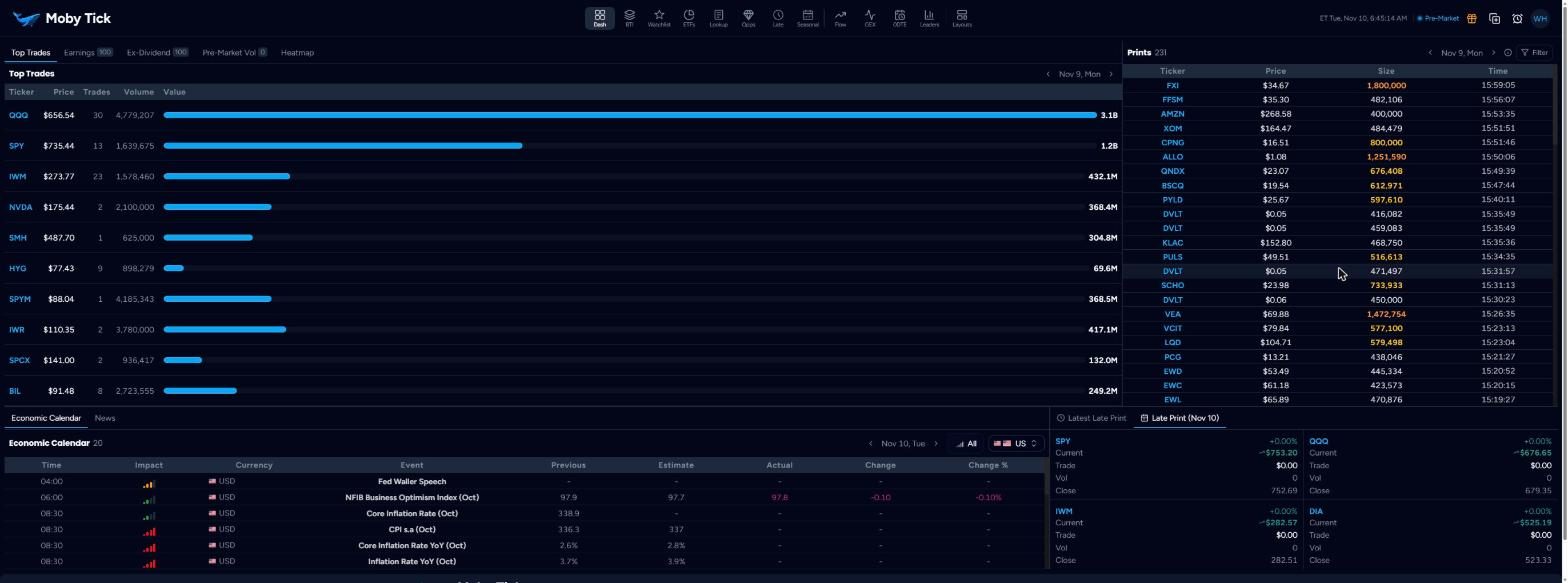
Every screen shares the same header. The icons across the middle are the main tools; the controls on the right are your clock, alerts and account.
| Menu item | Opens | Use it to |
|---|---|---|
| Dash | Dashboard | See the day's biggest trades, prints, earnings, calendar, news and late prints. |
| BTI | Block Trade Indicator | Watch large prints arrive live, filtered your way. |
| Watchlist | Watchlists | Plan entries and targets with dark pool levels beside them. |
| ETFs | ETF Lookup | See what an ETF holds, or which ETFs hold a stock. |
| Lookup | Print Lookup | Research one ticker: chart, print levels, history, mapping. |
| Opps | Opportunities | Scan for tickers with fresh large prints. |
| Late | Late Prints | Track late-reported blocks in SPY, QQQ, IWM and DIA. |
| Seasonal | Seasonality | Find tickers entering a historically strong period. |
| Flow | Options Flow | Filter unusual and large option trades. |
| GEX | GEX Dashboard | See gamma exposure, walls and the gamma flip by strike. |
| 0DTE | 0DTE Dashboard | Track same-day options positioning on index products. |
| Leaders | Flow Leaders | See the top bullish, bearish and most active flow. |
| Layouts | Custom Layouts | Open or build your own multi-panel screens. |
Header controls on the right
- Clock and session
- Eastern Time with the current session: Pre-Market, Market Open, After Hours or Closed. Many panels change behaviour with the session.
- Gift icon
- Refer a Friend. Both of you are rewarded: 10% off on monthly plans or $20 each on yearly plans, applied automatically.
- Open in new window
- Opens another copy of Moby Tick in a new tab, so you can put tools on separate monitors.
- Alarm clock
- The alerts panel for price, BTI and option alerts. Shortcut Alt+T. See Alerts.
- Avatar
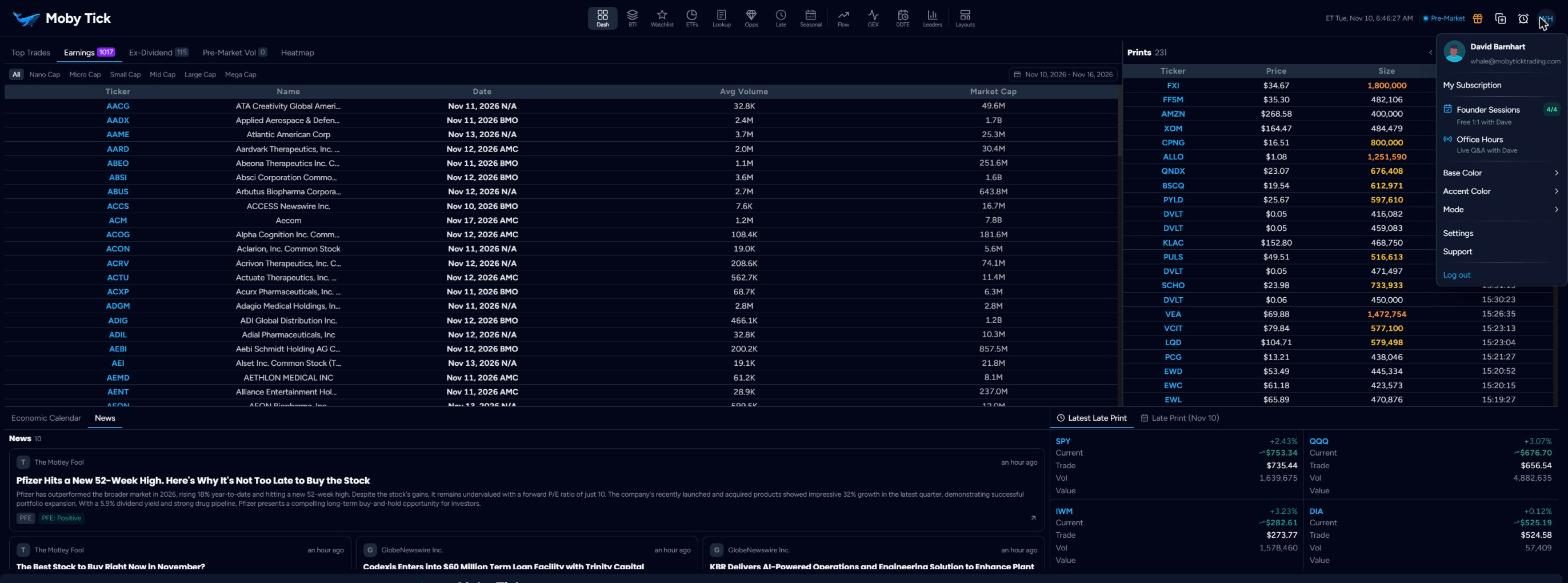
- My Subscription, Founder Sessions, Office Hours, Base Color, Accent Color, Mode (light/dark/system), Settings, Support and Log out.
- Office Hours button
- A green Office Hours button appears in the header while a live session is running.
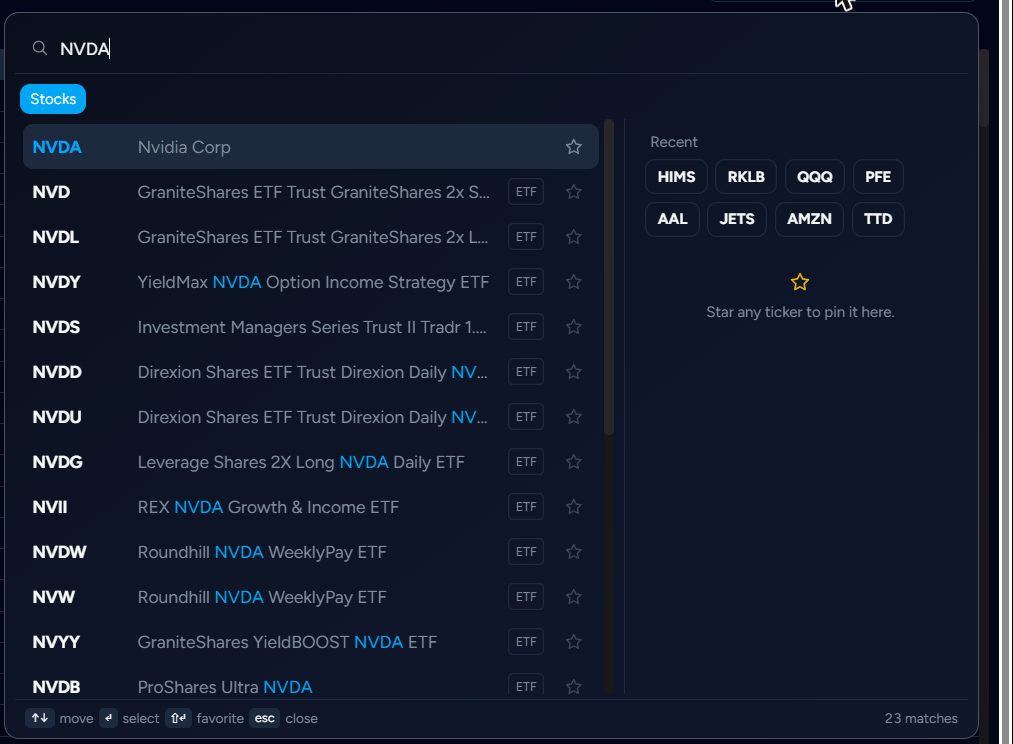
Ticker search
Wherever you can change ticker, the same search palette opens. Type a symbol or company name. ETFs carry an ETF badge. Click the star to pin a ticker to Favorites; recent tickers appear on the right.
Keys: ↑↓ move, Enter select, Shift+Enter favourite, Esc close.