Tools · BTI
Block Trade Indicator
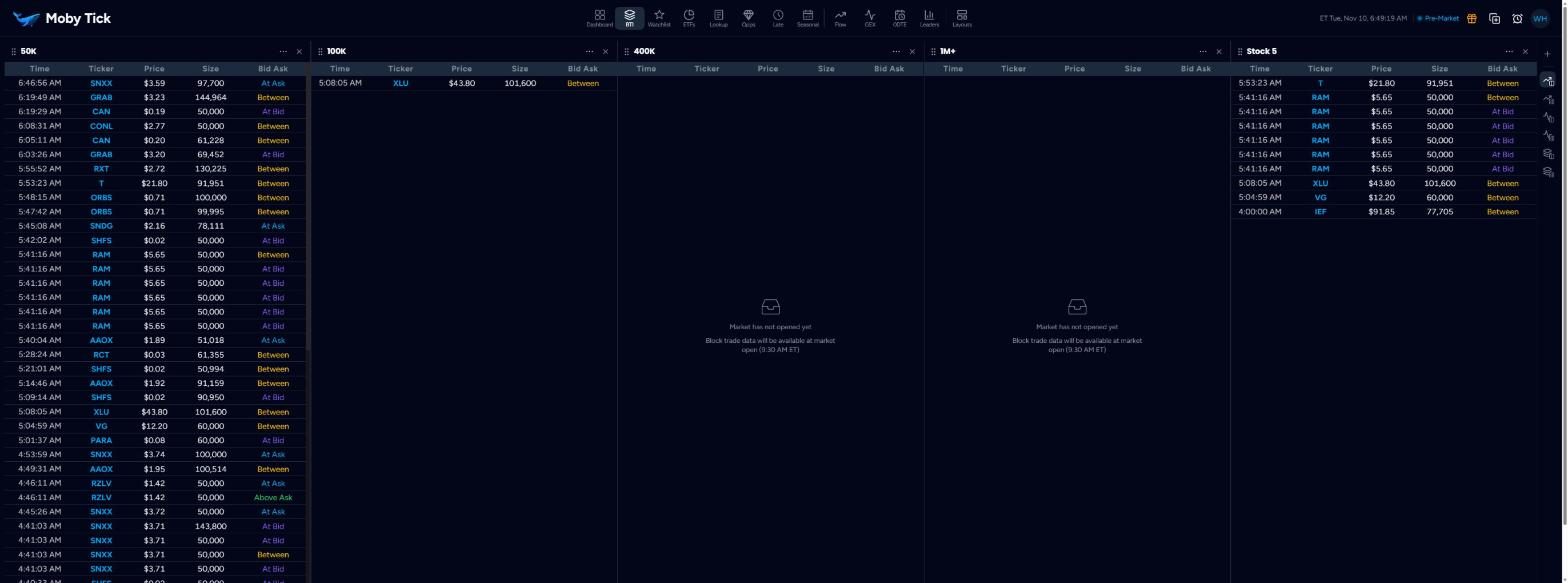
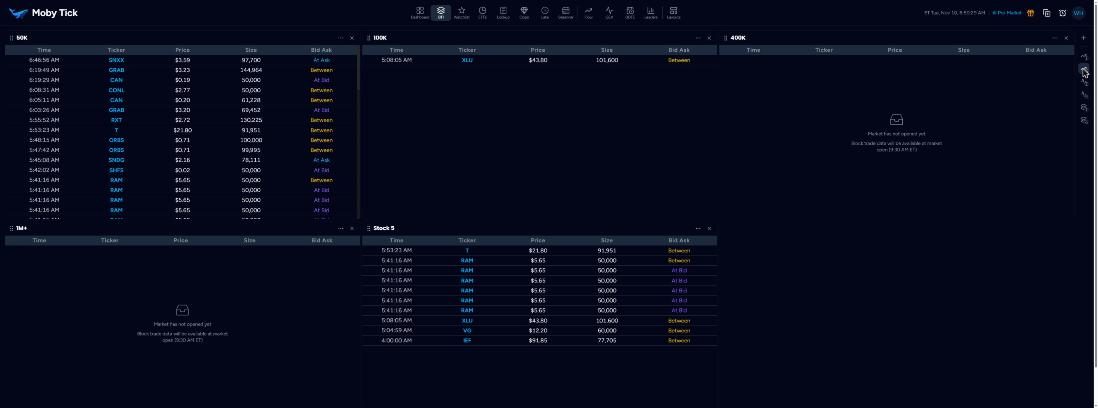
The BTI is a live feed of large prints, split into cards. Each card has its own name, minimum size, minimum price, tickers, colours and columns. Run a small-size card to catch early activity, a large-size card for the big blocks, and a card for only your watchlist.
Reading a card
Each row is one print: Time (ET), Ticker, Price, Size and Bid Ask. The Bid Ask column shows where the trade printed against the quote at that moment:
Seller more aggressive on the left, buyer more aggressive on the right. These are the default colours; you can change them per card.
Card controls
- Drag handle (left of the name) to reorder cards.
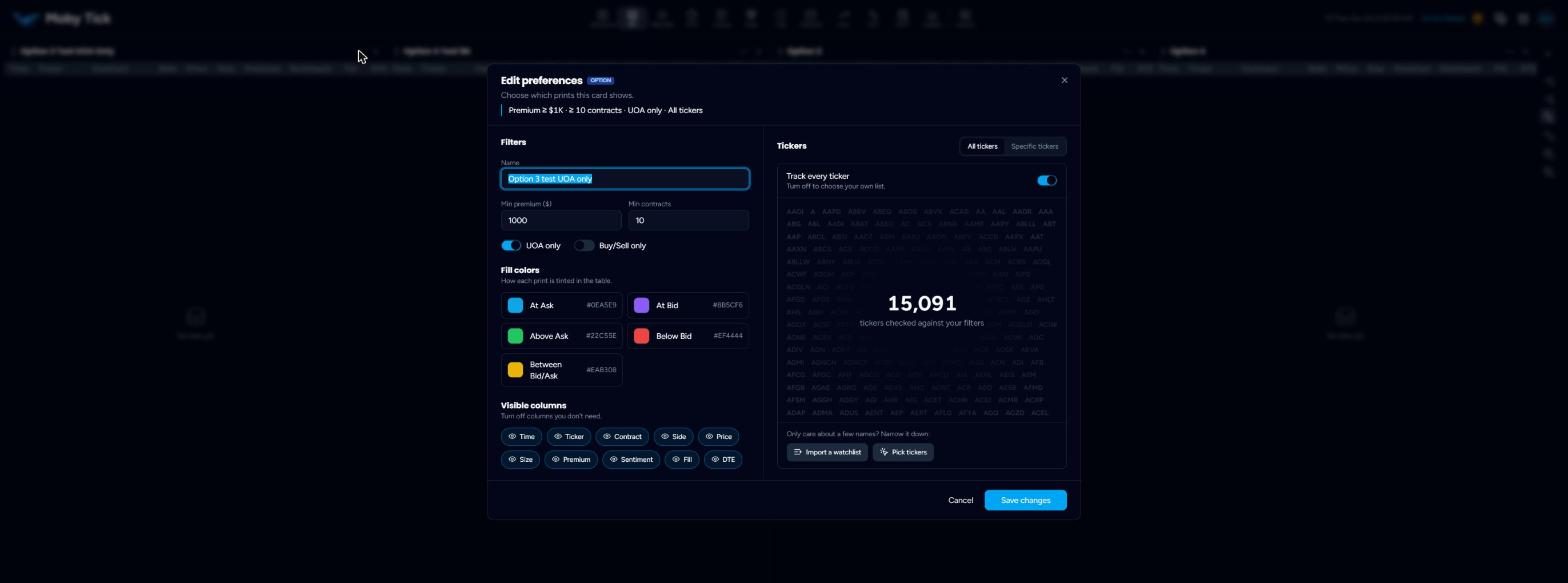
- ⋯ opens Edit preferences.
- × removes the card after you confirm. Its settings are deleted permanently.
Edit preferences (stock card)
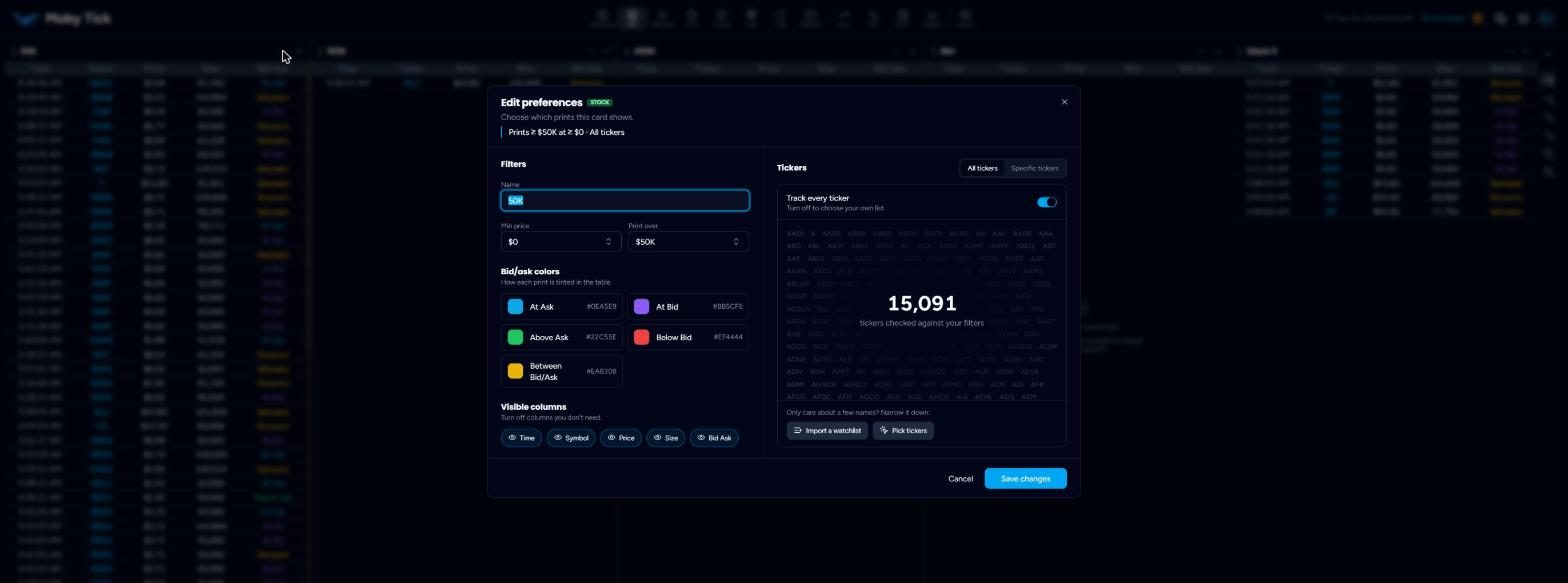
- Name
- Shown at the top of the card and in the layout editor as “BTI – name”.
- Min price
- Ignore prints in stocks below this price.
- Print over
- The minimum print size, from 50K up to 10M shares.
- Bid/ask colors
- Click a swatch to change the colour for At Ask, At Bid, Above Ask, Below Bid and Between.
- Visible columns
- Turn Time, Symbol, Price, Size and Bid Ask on or off.
- Tickers
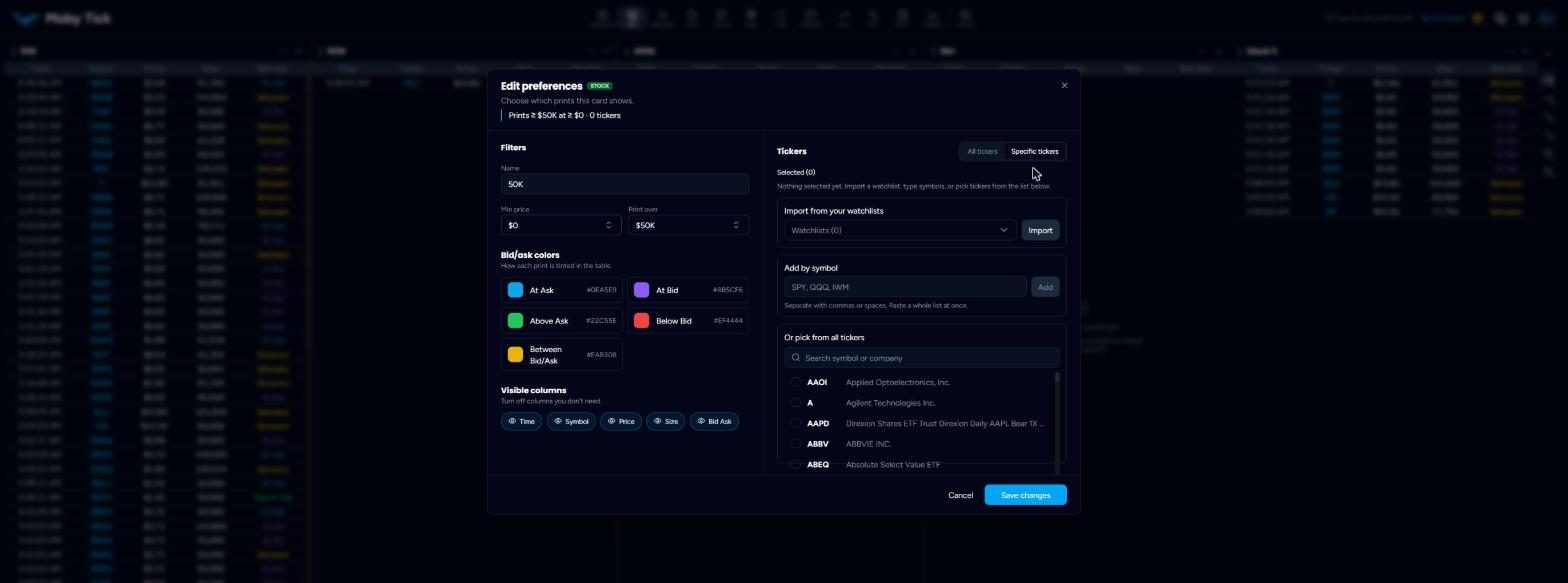
- All tickers checks every symbol (over 15,000). Specific tickers lets you import a watchlist, paste a list of symbols separated by commas or spaces, or pick from the full list.
Options cards
On accounts with the options tools, cards can follow option trades instead. Option preferences add Min premium, Min contracts, UOA only and Buy/Sell only, and columns for Contract, Side, Premium, Sentiment, Fill and DTE.
Views
The right rail switches between Stock, Stock Grid, Options, Options Grid, Combined and Combined Grid. Grid views tile cards in rows, which suits wide or tall monitors. The + at the top of the rail adds a card to the current view.
Ticker preview
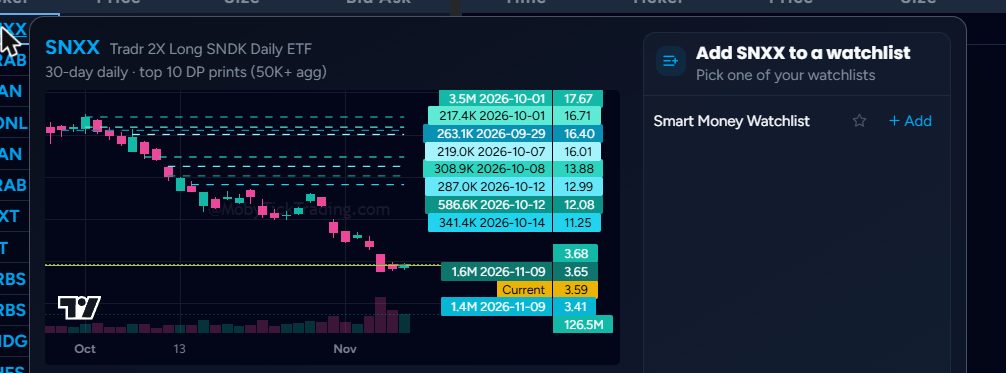
Click any ticker in a card to see a 30-day chart with its top 10 dark pool prints labelled, and a panel to add it to a watchlist. Print Lookup for that ticker also opens in a new tab.